Skip to content
  • There are no suggestions because the search field is empty.

How do I sign up for the Weekly Digest report?

I want to get a summary of my compliance, drift, and licensing each week.

To sign up for weekly emails follow these steps:

  1. Sign in to Opscompass
  2. Click on the profile dropdown in the top right corner
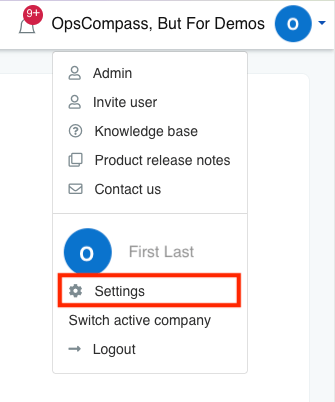
    The profile dropdown is expanded and all menu items are listed. The settings menu item is highlighted to draw the user's attention.
  3. Select "Settings"
  4. Scroll down to "Email Settings" section
  5. Click checkbox "Subscribe to the weekly digest report"
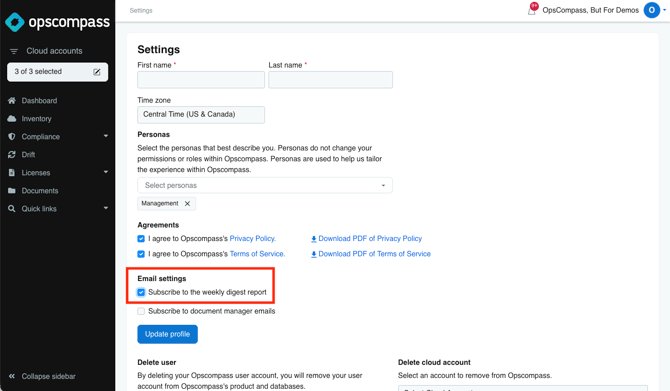
    Setting page contains 3 sections after the name input. The email settings section is highlighted and the checkbox is ticked next to subscribe to the weekly digest report